Run your shop, hospital, campus and shared expenses from one trusted platform.
InventiPro POS for billing, inventory and restaurants, HIMS for hospitals and clinics, EMS for schools, colleges and institutes, and free Expense Sharing for splitting bills with friends and groups. The POS desktop app works offline, and everything is available in the browser.
Choose your product
Four products on one platform. Each has its own sign-in and plans, and you can use more than one on the same account.
InventiPro POS
Billing, inventory and restaurants for shops and stores.
- Offline-first desktop app, plus web and installable PWA
- Billing, inventory and reports
- Table reservations, QR ordering and a kitchen display
InventiPro HIMS
Hospital and clinic management, from front desk to discharge.
- Patients, OPD, emergency, IPD and beds
- Pharmacy, laboratory, radiology and OT
- Billing, insurance and a patient portal
InventiPro EMS
School, college and institute management on one system.
- Admissions, student records and timetables
- Attendance, exams, grading and report cards
- Fees, library, hostel, transport and a parent portal
InventiPro Expense Sharing
Split bills with friends, flatmates and teams. Free.
- Equal, exact, percentage or share splits
- Settle up with the fewest payments
- No store account needed
Add-onSelf-Order Kiosk — A touch-screen kiosk for your outlet. Customers browse your menu, add items, pay, and get an order number — and the order reaches your counter or kitchen once it is paid.
Explore →Add-onReservations — Let guests book a table, room, seat or appointment slot online and run every booking from the same app you bill from — with a public booking page, a waitlist, reminders and no-show insights.
Explore →One product, however you run your business
Every deployment mode is a first-class citizen — not a stripped-down fallback.
Desktop App — Works Fully Offline
The JavaFX desktop application stores everything in a local database and runs with zero dependency on an internet connection — billing, inventory, and reporting keep working even when your connection doesn't.
Web App — Access From Any Device
The same core POS experience, in your browser, from any laptop, tablet, or phone — no installation required, always up to date.
Installable as a PWA
Install the web app straight to your phone's home screen or desktop like a native app — one tap to launch, no app store needed, on both mobile and desktop.
Optional Cloud Sync (Paid Add-on)
Choose exactly which tables you want synced, and selectively push your offline desktop data to the cloud so it's visible in the web app too — sync stays optional and under your control, not automatic or all-or-nothing.
InventiPro, Wherever Your Business Takes You
Manage your business from desktop, tablet, or mobile with InventiPro. Install the web application as a PWA and access your business whenever you need it.
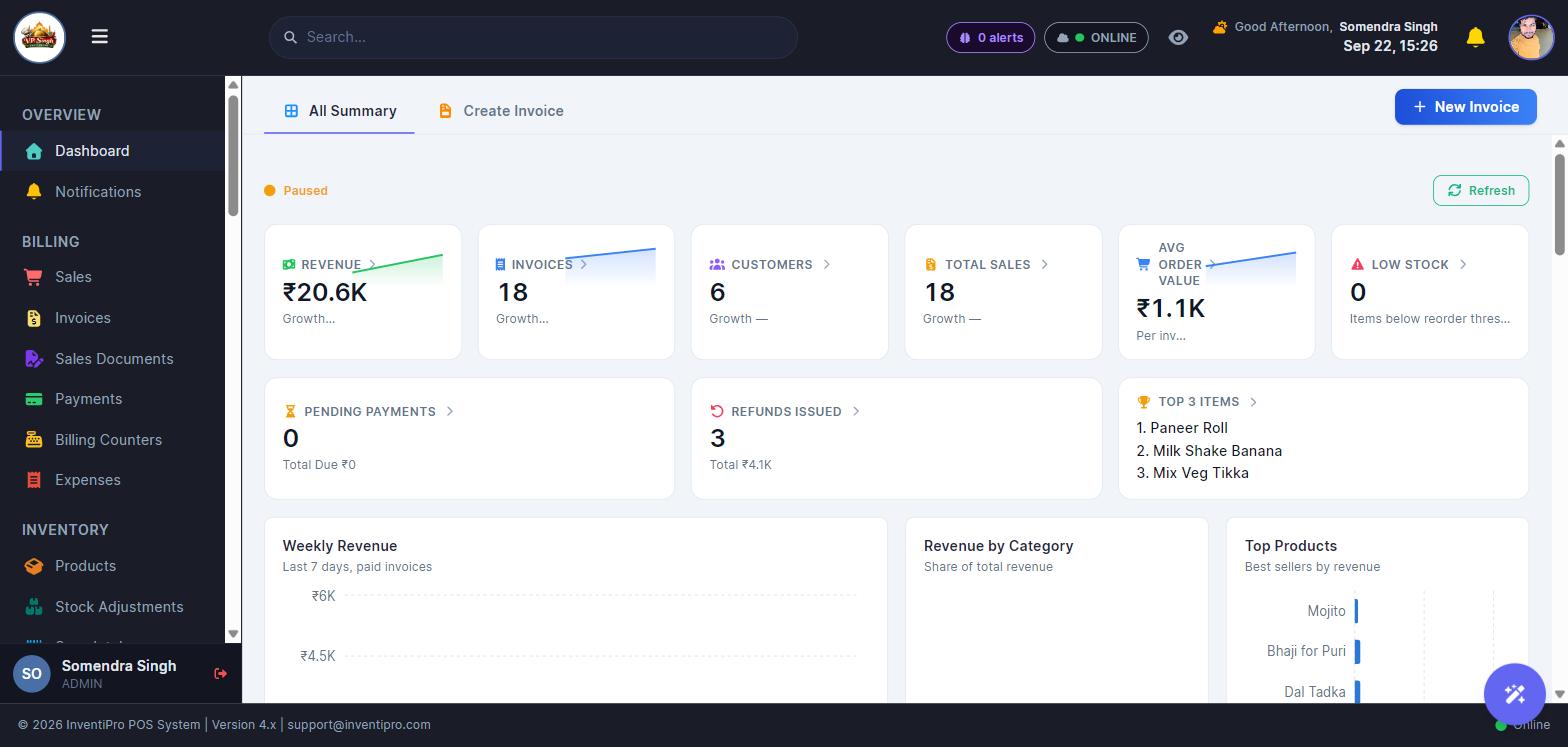
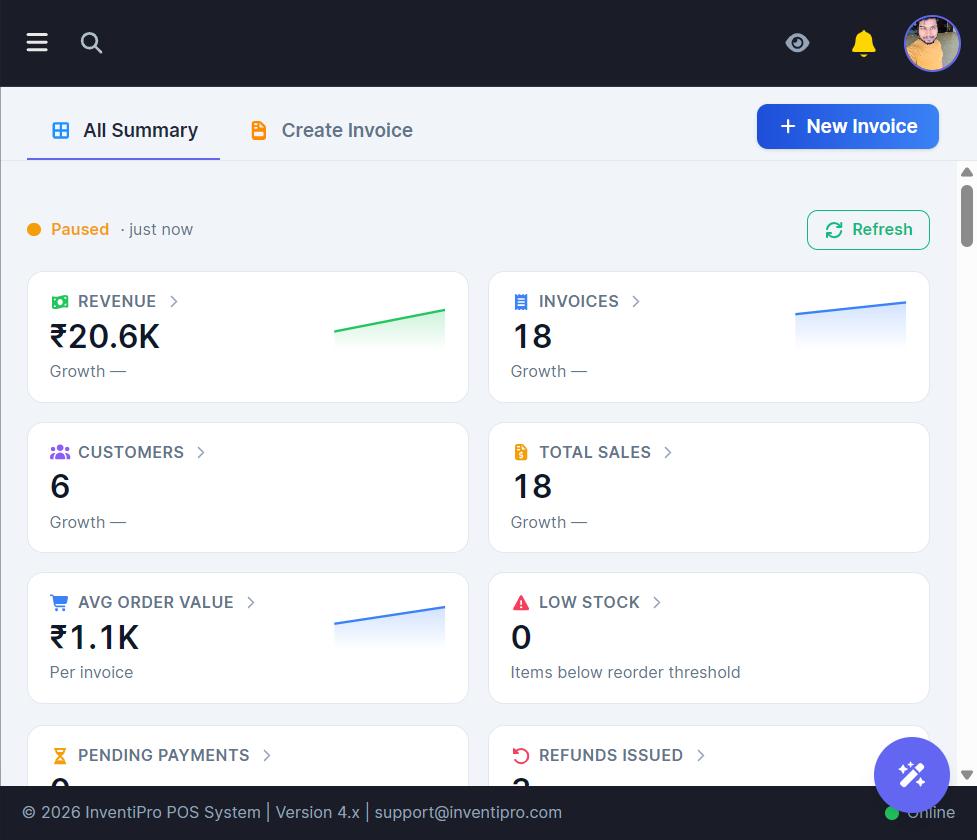
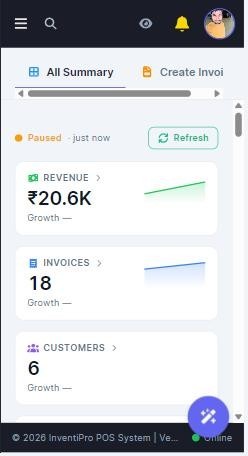
Install InventiPro as a PWA
Access InventiPro directly from your device without downloading a traditional app. Install the InventiPro web app on supported devices — desktop, tablet, or mobile — and launch it like a native app, straight from your home screen or app drawer.
The installed web app needs an internet connection to work, the same as using it in a browser tab — for billing that keeps working with no connection at all, that's what the Desktop Application is for.
Built for businesses everywhere
Not just India — InventiPro adapts to wherever you run your business.
Curious what a real conversion looks like? Try the live currency converter.
InventiPro POS — everything your store needs
From the checkout counter to the dining room to end-of-month reconciliation — real features shipping in the product today.
Sales & Operations
- Point of SaleFast checkout with barcode scanning, cart management, and multiple payment methods (cash, card, UPI).
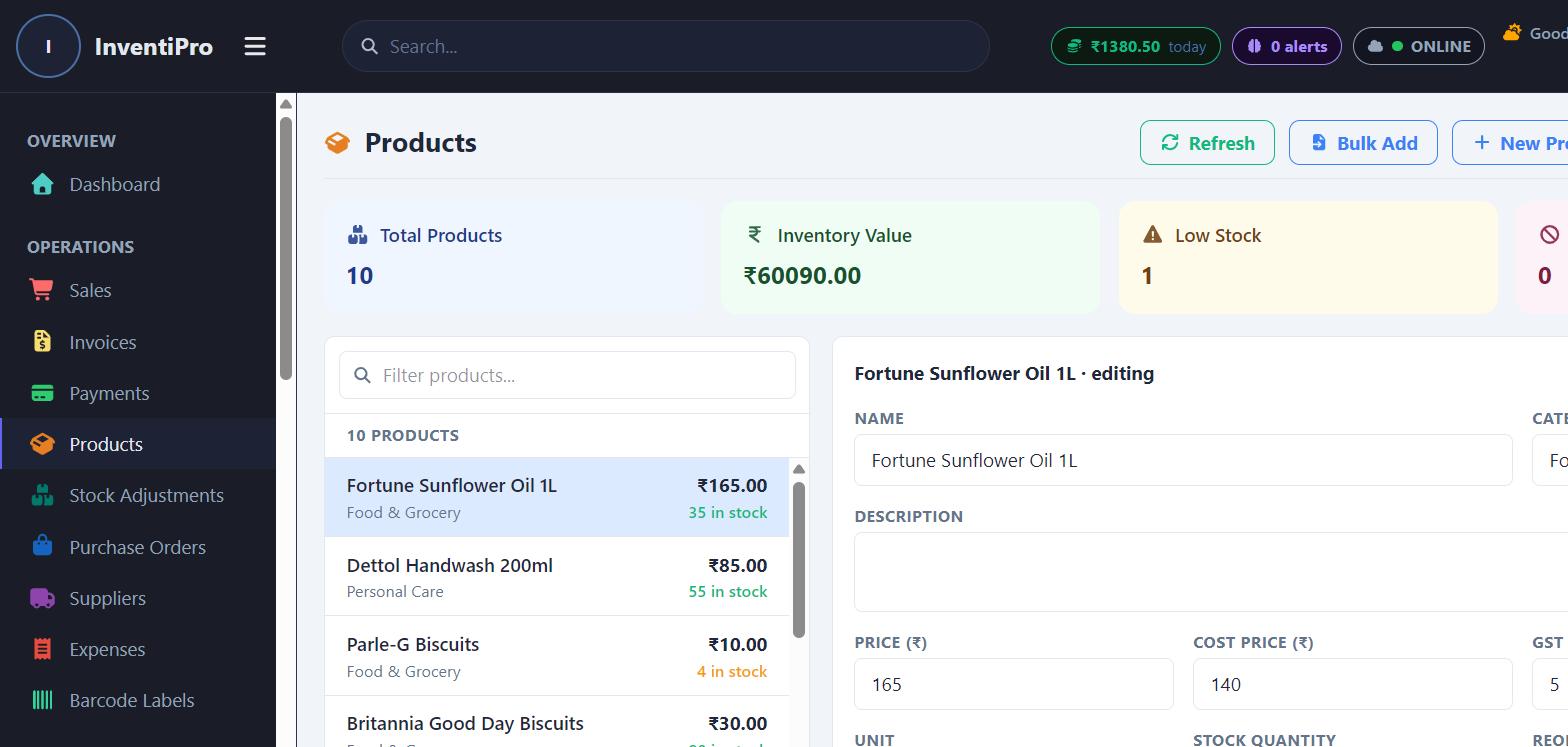
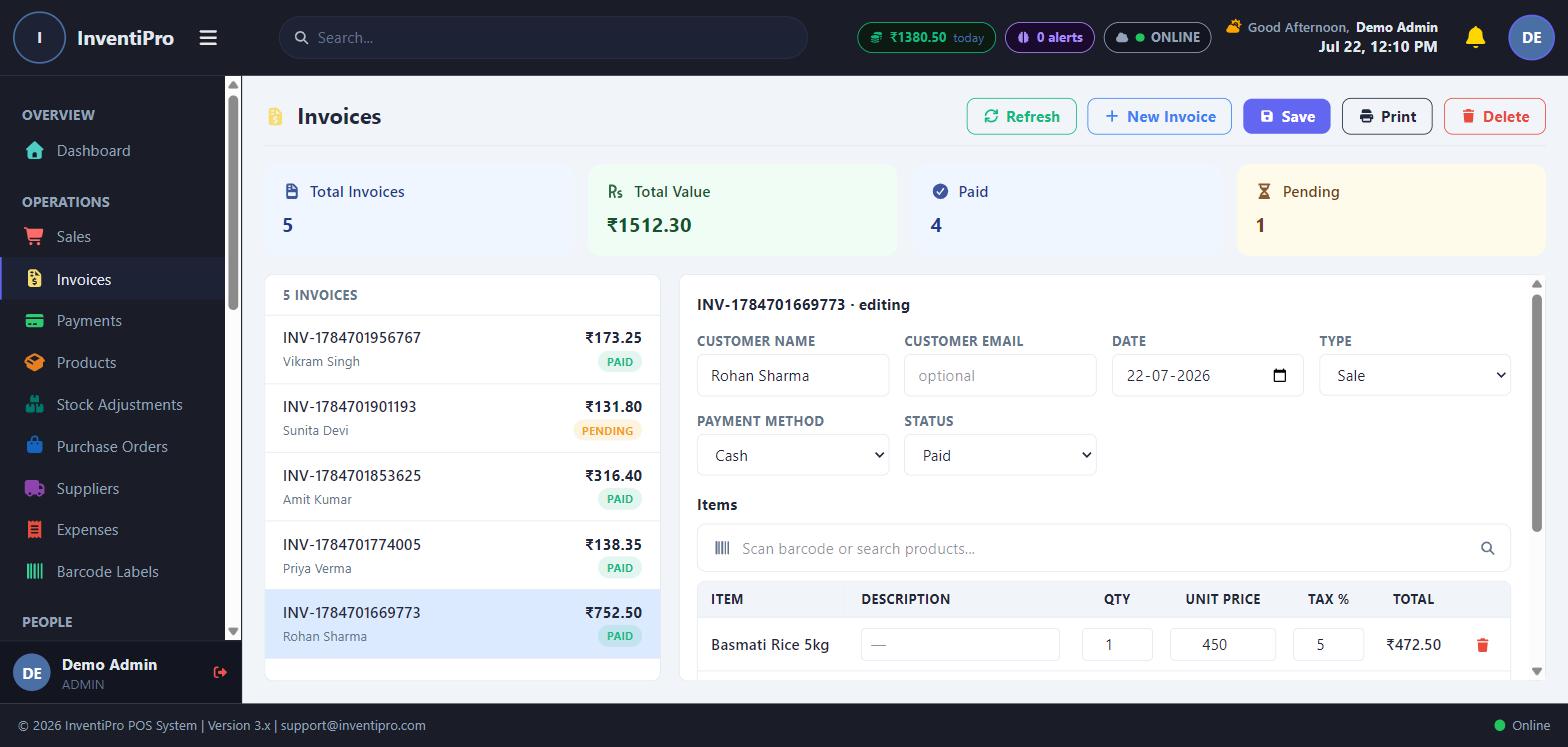
- InvoicingGenerate, print, and track invoices with tax rules, discounts, and customer linkage.
- PaymentsRecord and reconcile payments against invoices, with a full payment history per customer.
- Product & InventoryManage products, variants, categories, stock levels, and reorder thresholds — with bulk import from Excel/CSV.
Restaurant & Reservations
- Seat & Table ReservationsTake bookings by table or seat with party size, arrival window, and a booking code — plus a public booking page your guests can use without an account. A paid add-on: see the Table & Seat Reservations guide for how to get it.
- Tables & QR OrderingGuests scan the QR on their table to browse the menu and order themselves, with no app to install and orders going straight to the kitchen.
- Kitchen DisplayLive order tickets by course and table, so the kitchen sees every round the moment it is placed.
- Self-Order KioskA vertical touch screen in your outlet where customers order and pay themselves, get a receipt with their order number, and watch a "Now serving" screen — orders go straight to the kitchen. A paid add-on, switched on once purchased.
Customers & Team
- Customer ManagementA full customer directory with purchase history, loyalty points, and credit limits.
- Data MigrationImport existing customer, product, and invoice data from other systems via a guided wizard.
- Employee ManagementManage staff accounts, roles, and permissions — including per-employee tab visibility controls.
- Shift ManagementOpen/close shifts with opening balances and full shift-history reporting.
Analytics & Insights
- AnalyticsSales trends, top products, and customer segments visualized at a glance.
- ReportsA library of pre-built reports across sales, inventory, tax, and staff performance.
- AI InsightsAutomated alerts and recommendations surfaced from your own sales and inventory data.
- Fraud DetectionFlags unusual transaction patterns worth a second look.
Marketing & Engagement
- Marketing CampaignsPlan and track promotional campaigns tied to your customer base.
- Gift CardsIssue and redeem gift cards with full balance tracking.
- EmailConnect an email account and manage customer-facing email straight from the app.
- Action CenterA single feed of everything that needs your attention — low stock, pending dues, and more.
InventiPro HIMS
- Patients & OPD: registration with duplicate checks, appointments, doctor queues and prescriptions
- Emergency, IPD & beds: admissions, ward and bed management, transfers
- Pharmacy, laboratory and radiology alongside the clinical record
- Billing, insurance and a tamper-evident audit trail
InventiPro EMS
- Admissions & student records: applications, merit lists, enrolment and guardians
- Attendance, exams, grading schemes and report cards
- Fees & scholarships: structures, online payments, concessions and dues follow-up
- Student and parent portal on any device
InventiPro Expense Sharing
- Every way to split: equally, by amount, by percentage or by shares
- More than one payer, in any currency
- Simplest settle-up: the fewest payments that square everyone
- Receipts and notes attached to each expense
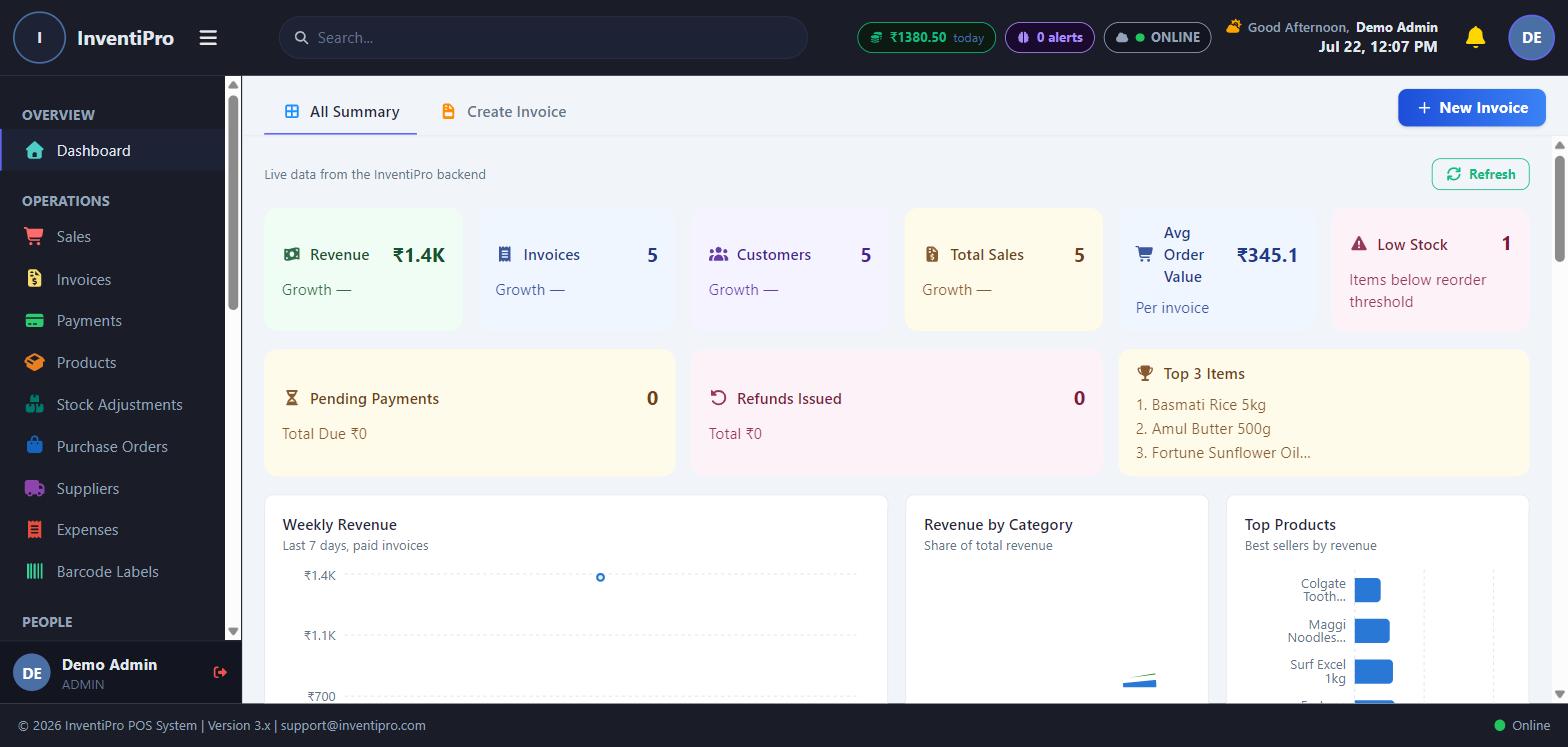
InventiPro POS in action
Simple, transparent pricing
Start free. Upgrade only when you need to. The plans below are InventiPro POS; HIMS and EMS have their own plans, and Expense Sharing is free — see pricing for every product.
Free Trial
14-day free trial with all Pro features — on both the desktop app and the web app
- Point of Sale / Billing
- Invoicing
- Customer Management
- Product & Inventory Management
- Supplier Management
- Expense Tracker
- Reports Generation
- Customer Ledger
- Payment Reminders
Starter
For small shops — 1 user
- Point of Sale / Billing
- Invoicing
- Customer Management
- Product & Inventory Management
- Supplier Management
- Expense Tracker
- Reports Generation
- Customer Ledger
- Payment Reminders
Pro
For growing stores — up to 5 users
- Point of Sale / Billing
- Invoicing
- Customer Management
- Product & Inventory Management
- Supplier Management
- Expense Tracker
- Reports Generation
- Customer Ledger
- Payment Reminders
Enterprise
Unlimited users, multi-store
- Point of Sale / Billing
- Invoicing
- Customer Management
- Product & Inventory Management
- Supplier Management
- Expense Tracker
- Reports Generation
- Customer Ledger
- Payment Reminders
What our customers say
""InventiPro has made our restaurant billing and inventory management much easier. The billing process is fast, invoices are generated instantly, and stock tracking has significantly reduced wastage. The software is simple to use, reliable, and has helped us improve our day-to-day operations.""
""We were looking for a solution that could simplify billing, expense tracking, and reporting for our organisation. InventiPro has exceeded our expectations with its intuitive interface, detailed reports, and dependable performance. It has reduced manual work and helped us stay organised.""
""Managing inventory, sales, and customer records used to be time-consuming. After switching to InventiPro, everything is available in one place. The software is fast, easy to learn, and provides the business insights we need to make better decisions.""
""InventiPro has streamlined our daily billing process while keeping inventory updated automatically. The reporting features are excellent, and the application performs smoothly even during peak business hours. It has become an essential part of our business.""
""We wanted software that could grow with our business, and InventiPro has delivered exactly that. From inventory management to GST billing and business reports, everything works seamlessly. The support team is responsive, and regular updates continue to add valuable features.""
Frequently asked questions
Do I need an internet connection to use InventiPro?
No — the desktop application is fully offline-first. It runs entirely against a local database and never requires an internet connection to bill, manage inventory, or run reports. The web application, by contrast, does need a connection since it talks to the cloud backend directly.
What's the difference between the desktop app, the web app, and the PWA?
The desktop app is a standalone Windows application with an embedded local database — it works fully offline. The web app is the same core experience delivered through your browser from any device, but it requires an internet connection. Installing the web app as a PWA (Progressive Web App) just adds a home-screen/desktop icon and an app-like window on top of the web app — it doesn't add offline capability.
Can I use the desktop app and the web app together?
Yes. Many businesses run the desktop app at the counter for day-to-day billing and use the web app to check in remotely. Bridging data between the two requires the paid Cloud Sync add-on, since they don't share a database automatically.
What does the Cloud Sync add-on actually do?
It lets you choose exactly which data tables (customers, invoices, products, and more) get synced from your offline desktop installation up to the cloud, so that data becomes visible in the web app too. It's selective and opt-in by table, not an all-or-nothing mirror of your entire local database.
Ready to run your shop, hospital, campus or group expenses?
Pick your product and start a free trial — no credit card required.
Start Free Trial