Fewer empty tables. Guests book themselves.
Let guests book a table, room, seat or appointment slot from a link or a QR code, and run every booking — online, by phone or walk-in — from the app you already bill from.
How it works
Switch it on
Open Reservations in InventiPro and request access, or buy it online when a price is shown. Our team can also start you on a trial.
Add what guests can book
Tables, rooms, seats or staff slots, each with a capacity and an optional zone such as Patio or First floor.
Share your booking page
Copy your link or print the QR code for the counter, menu or window. Guests book without creating an account.
Run the day
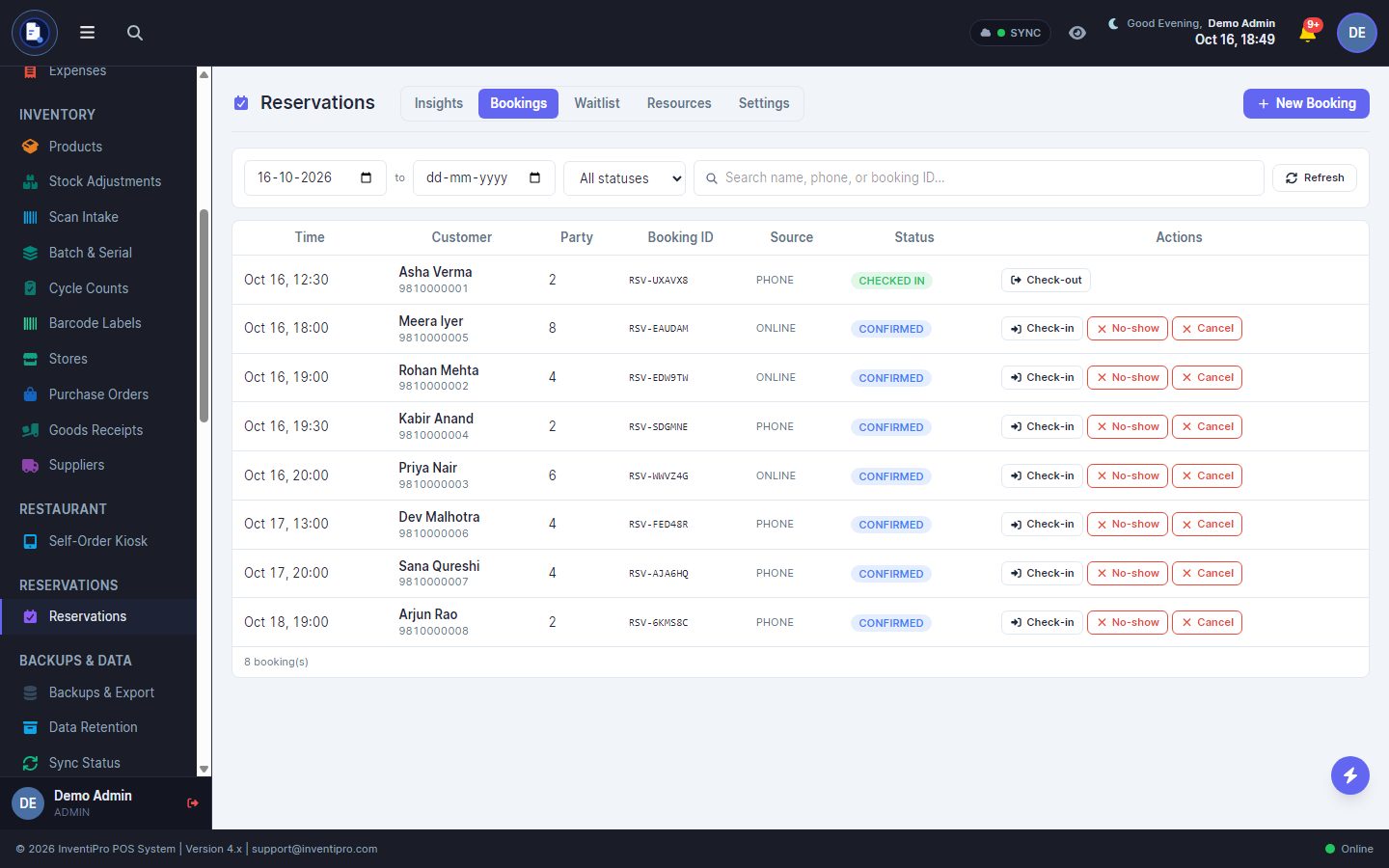
Bookings land in one list. Confirm, check in, check out, mark no-shows, and turn a booking into a bill.
What Reservations does
Public booking page and QR
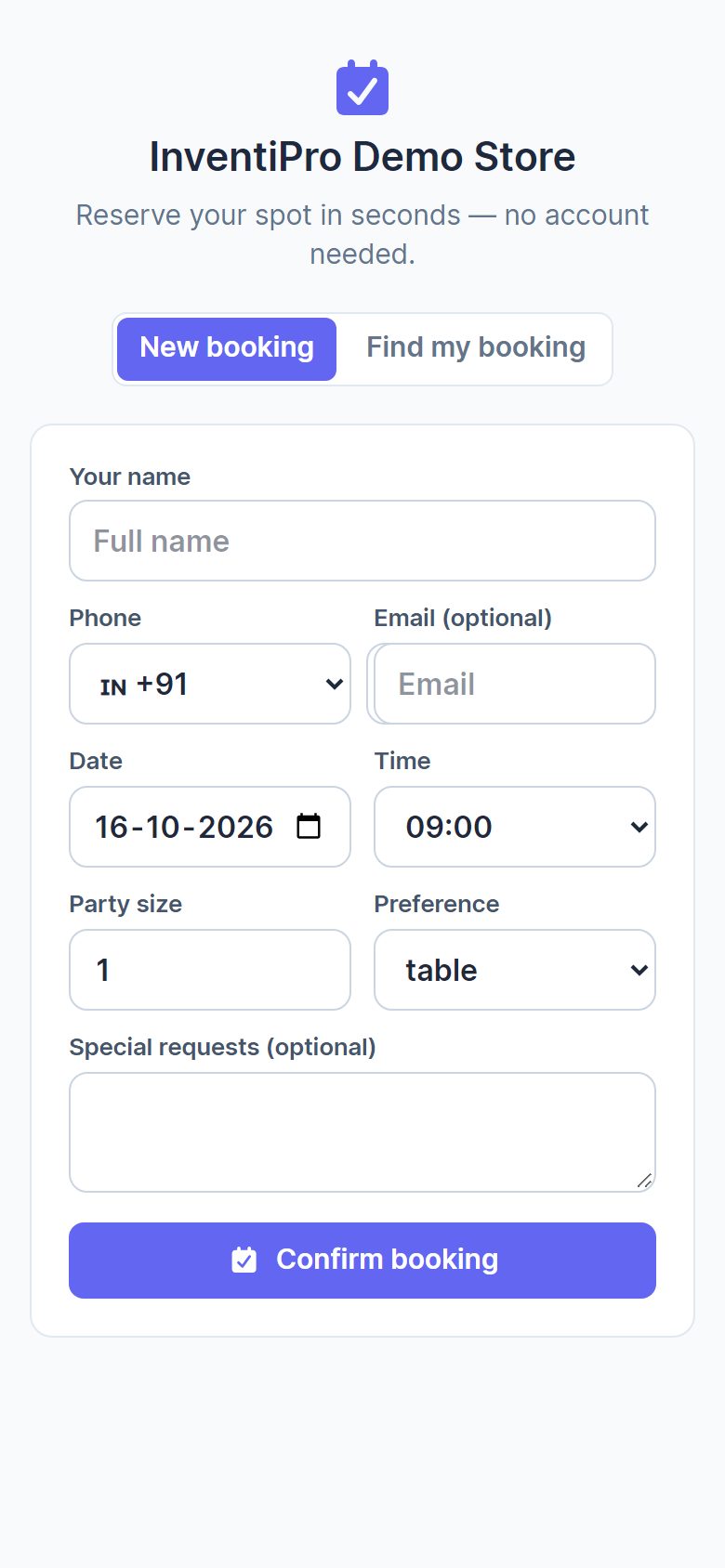
A link and a printable QR code. Guests choose a date, time and party size, and can look their booking up later.
Tables, rooms, seats and slots
Anything with a name and a capacity can be booked, grouped by zone.
Your booking policy
Opening hours, slot length, how many days ahead guests may book, party-size limits and how late a guest may cancel.
Auto-confirm or staff approval
Fill tables instantly, or have staff check each booking first. Overbooking is off unless you turn it on.
Deposits
Optionally ask for a deposit when booking, paid online into your own payment gateway account.
Confirmations and reminders
SMS, WhatsApp and email for confirmed, reminder and cancelled events, chosen per event. SMS and WhatsApp use your message credits.
Waitlist
Add walk-ins with their party size and phone, then mark them notified when a table frees up.
Check-in to bill
Check in, check out, no-show, cancel, reschedule, reassign a table, and convert a booking into an invoice.
Insights
Bookings fulfilled, no-show and cancellation rates, peak hours, where bookings come from and how busy each table is.
See it in action
Real screens from the product, captured from a demo store.
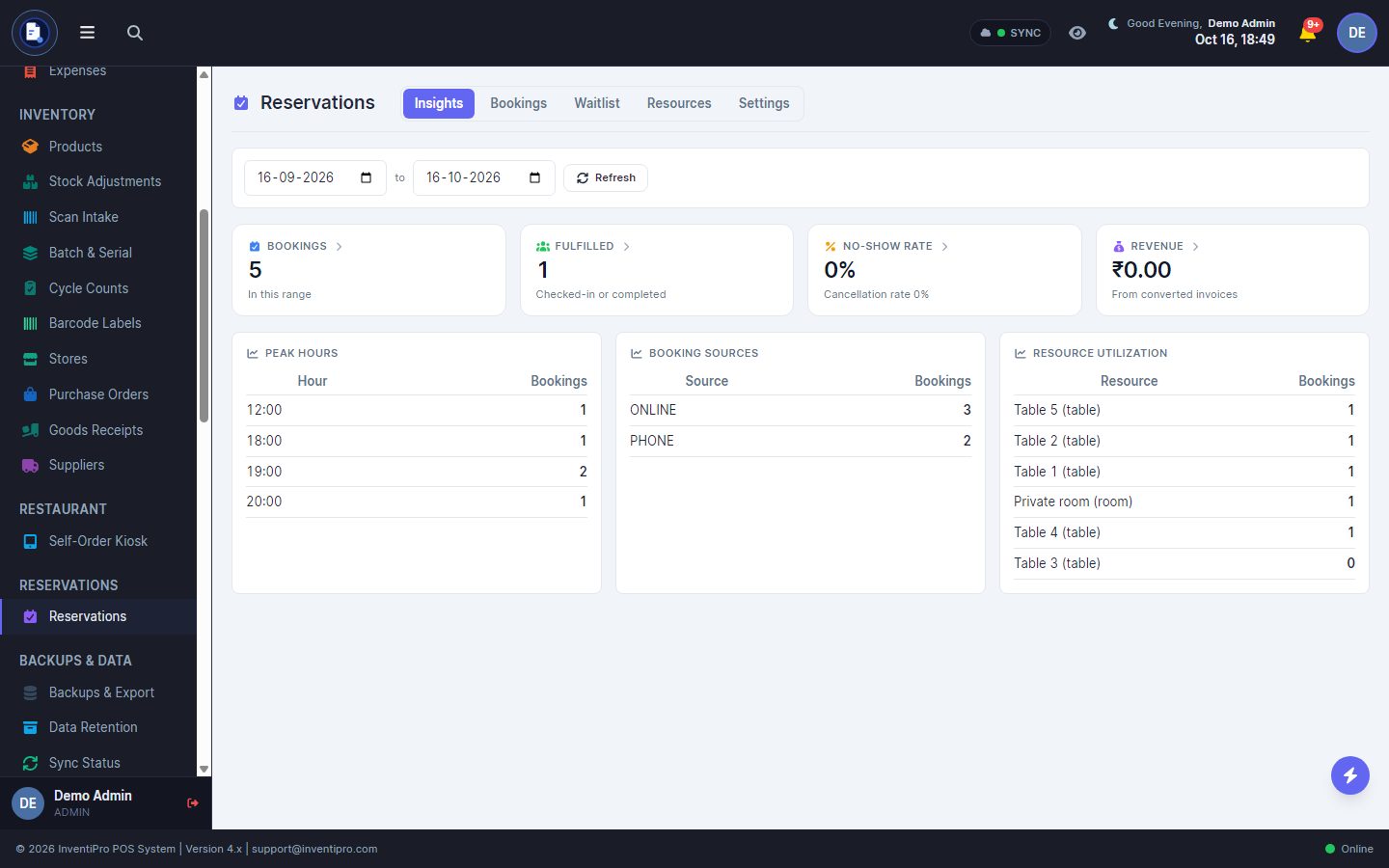
Insights: peak hours, sources and table use.
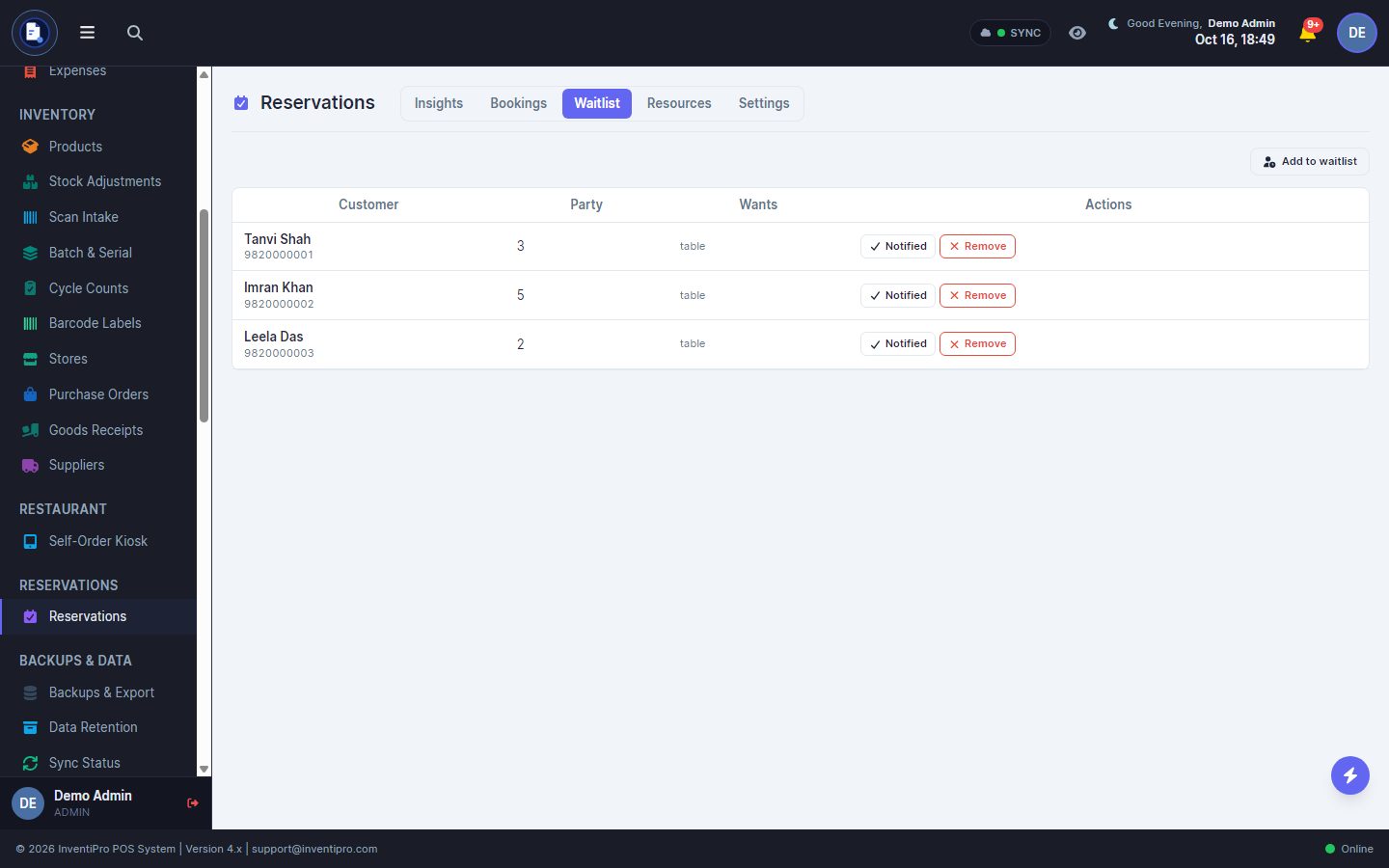
The waitlist for walk-ins.
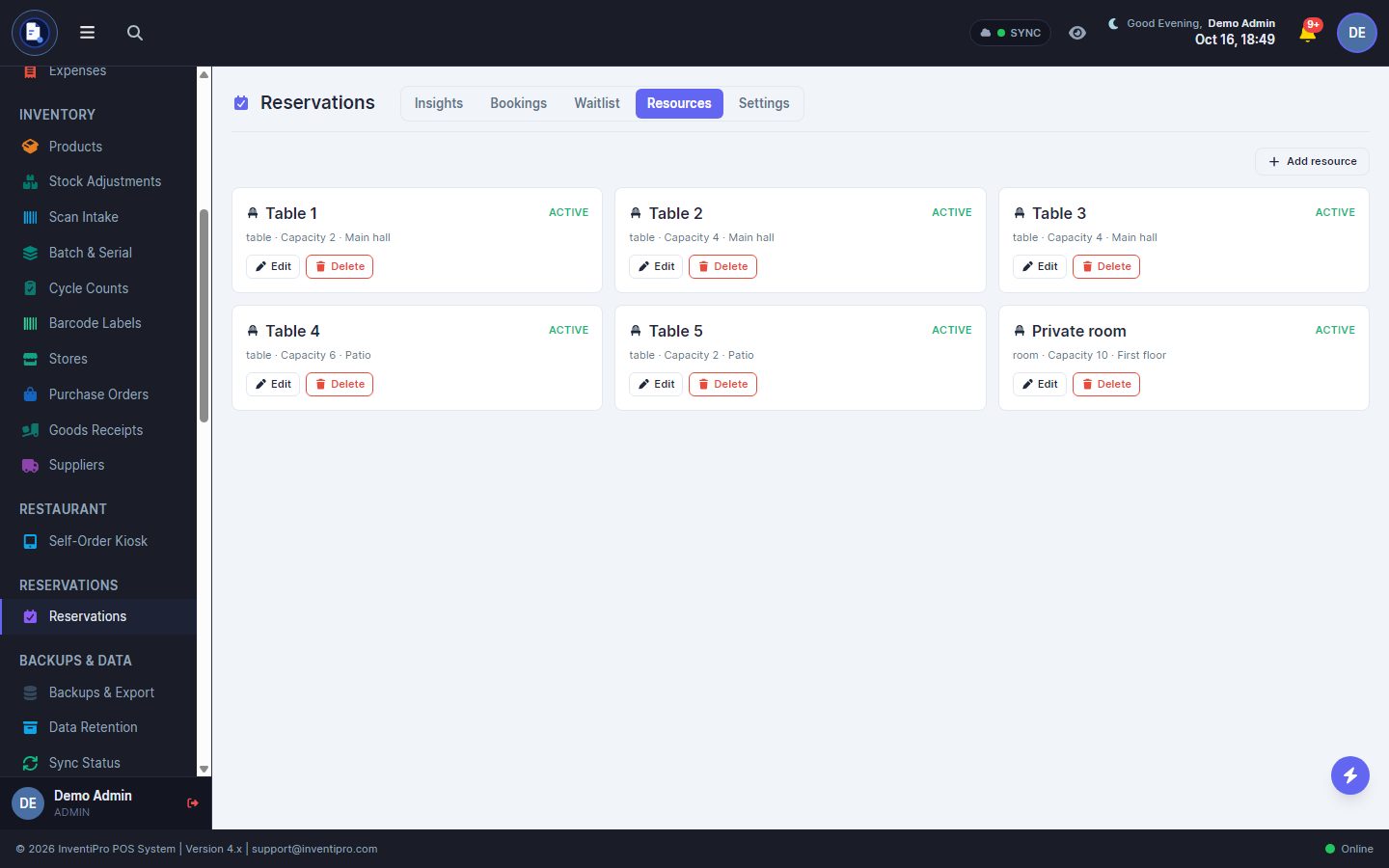
Tables, rooms and seats, with capacity and zone.
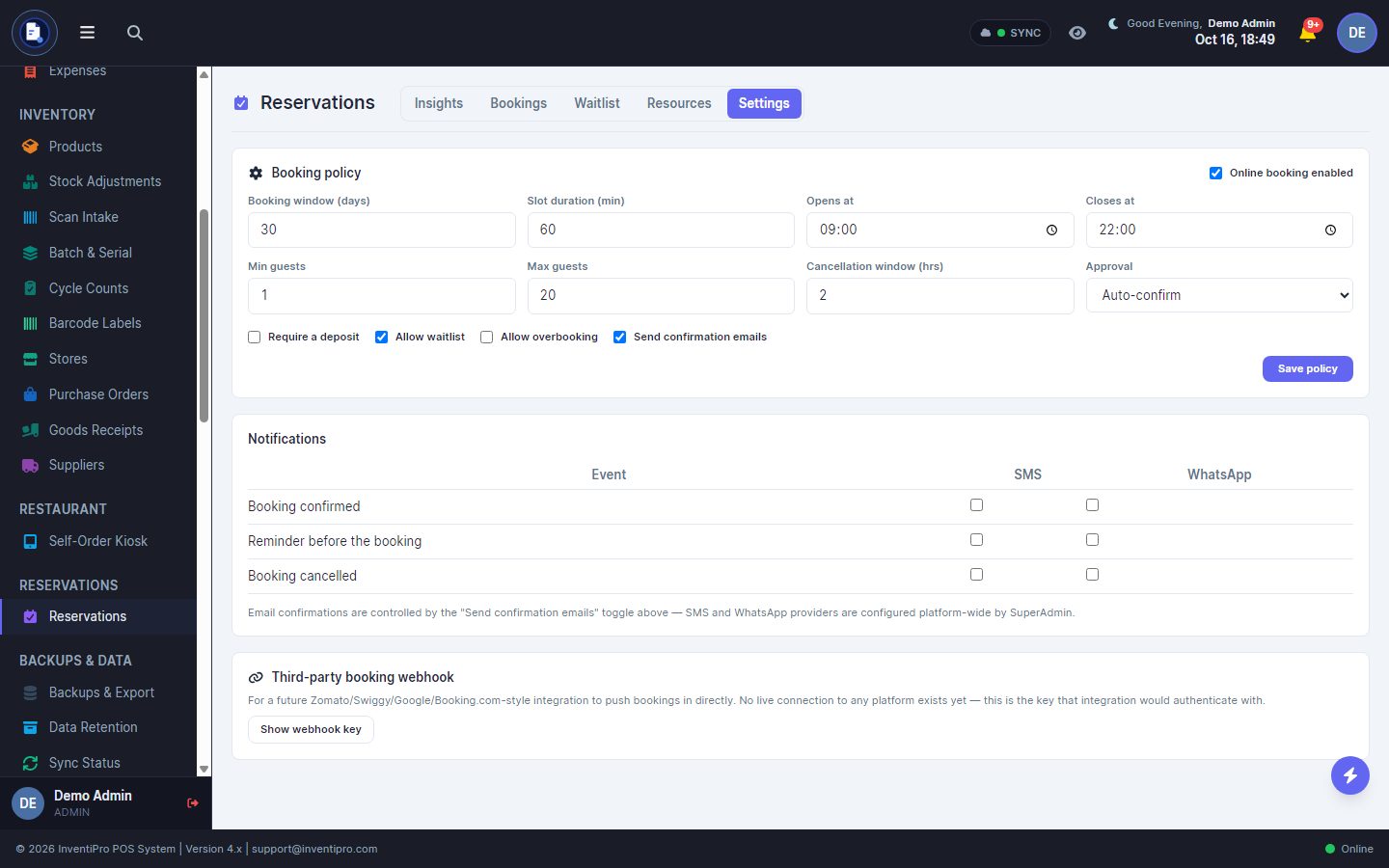
Booking policy and notification choices.
Who it is for
Restaurants and cafés
Hold tables for the evening rush and keep a waitlist for walk-ins.
Lounges and event spaces
Book rooms and zones by capacity, with an optional deposit.
Salons and clinics
Book staff or appointment slots against a name and a capacity.
Co-working and studios
Let people reserve a seat or a room for a time slot from one link.
An add-on, not a separate system
Reservations runs on your InventiPro POS account. It is requested from the Reservations page in the app, can start as a trial, and is activated for your shop. Existing bookings are never hidden if a period ends.
Questions
Do I need InventiPro POS to use Reservations?
Yes. Reservations is an add-on to InventiPro POS, switched on for your shop. Bookings live in the same app you bill from, so a booking can become a bill.
Do guests need an account to book?
No. They open your booking page, pick a time and party size, and leave a name and phone number.
Is there a free trial?
Reservations is switched on per shop. You request access from the Reservations page, and our team can start you on a free trial so you can set it up and take real bookings before you decide. The InventiPro POS 14-day trial is separate.
Where does a deposit go?
Into your own payment gateway account, the same one your online bills use. InventiPro does not hold it.
What do SMS and WhatsApp reminders cost?
They use your shop's message credits, like other messages you send to customers. Email confirmations use no credits.
What happens when my trial or paid period ends?
Reservations turns read-only. Bookings you already hold stay visible so you can honour them, and new bookings pause until it is active again.
Does it include QR ordering at the table or a kitchen display?
No. Those belong to InventiPro's restaurant features, not to the Reservations add-on.
Ready to take bookings?
The free trial is for InventiPro POS. Reservations is a paid add-on.