Built for how retail actually runs
Every feature below is shipping in the product today — not a roadmap slide.
Choose how you run it
Desktop App — Works Fully Offline
The JavaFX desktop application stores everything in a local database and runs with zero dependency on an internet connection — billing, inventory, and reporting keep working even when your connection doesn't.
Web App — Access From Any Device
The same core POS experience, in your browser, from any laptop, tablet, or phone — no installation required, always up to date.
Installable as a PWA
Install the web app straight to your phone's home screen or desktop like a native app — one tap to launch, no app store needed, on both mobile and desktop.
Optional Cloud Sync (Paid Add-on)
Choose exactly which tables you want synced, and selectively push your offline desktop data to the cloud so it's visible in the web app too — sync stays optional and under your control, not automatic or all-or-nothing.
Desktop vs. Web vs. PWA
All three share the same core product — this is what differs.
| Capability | Desktop | Web | Installed PWA |
|---|---|---|---|
| Works without internet | — | — | |
| Access from any device | — | ||
| Installs like a native app | — | — | |
| Always up to date automatically | — | ||
| Local hardware support (printer, drawer, scale) | — | — | |
| Multi-device access for one account | — |
Sales & Operations

Point of Sale
Fast checkout with barcode scanning, cart management, and multiple payment methods (cash, card, UPI).
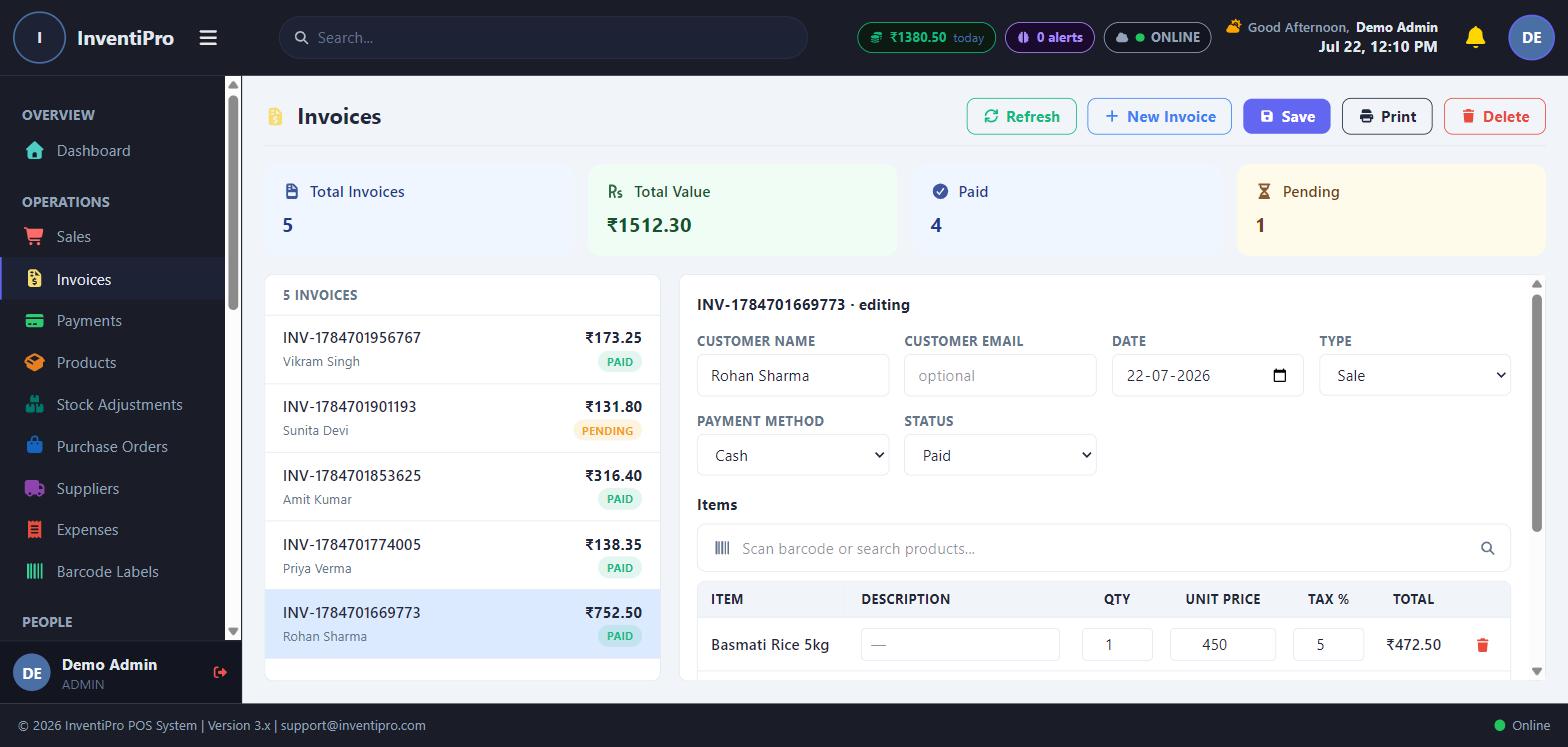
Invoicing
Generate, print, and track invoices with tax rules, discounts, and customer linkage.
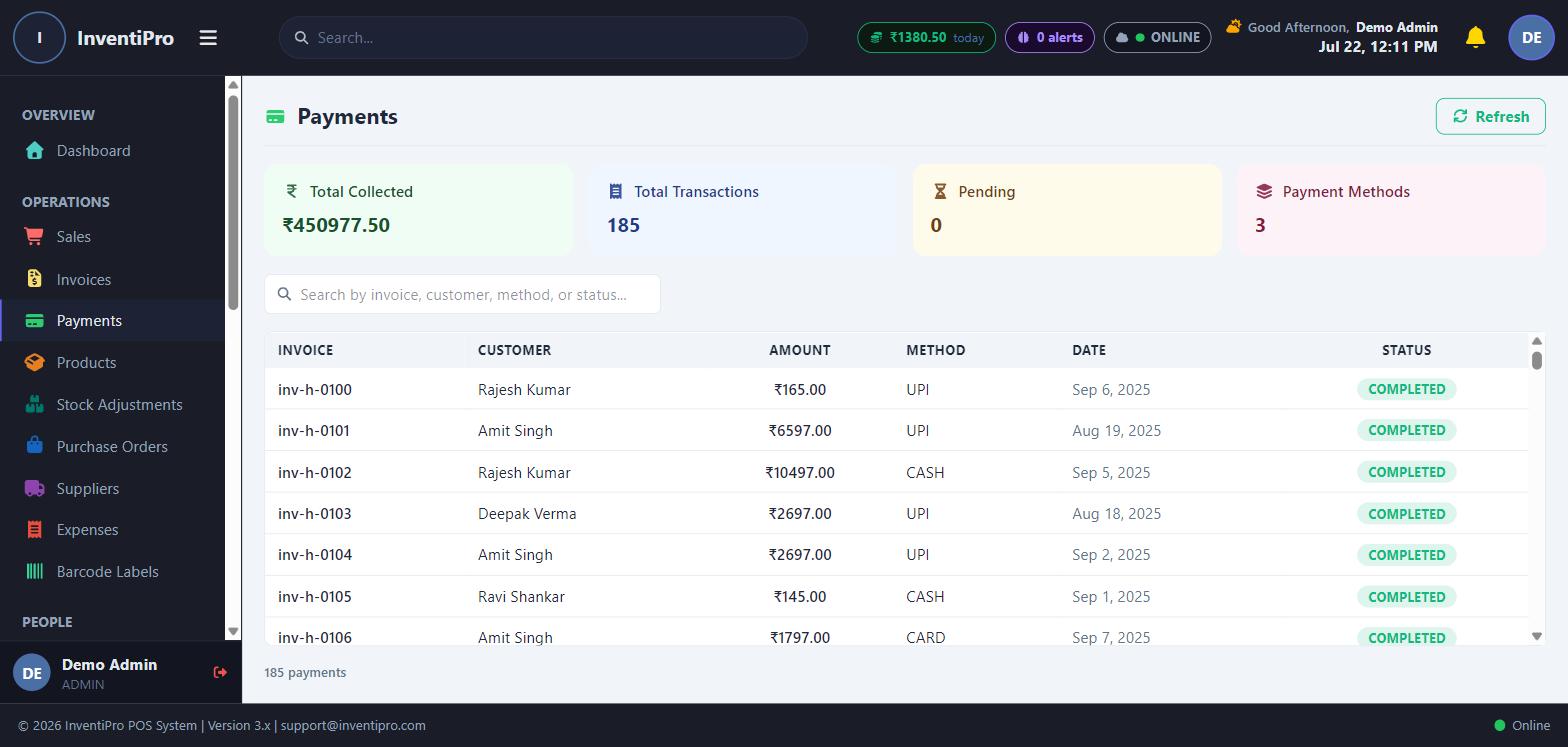
Payments
Record and reconcile payments against invoices, with a full payment history per customer.
Product & Inventory
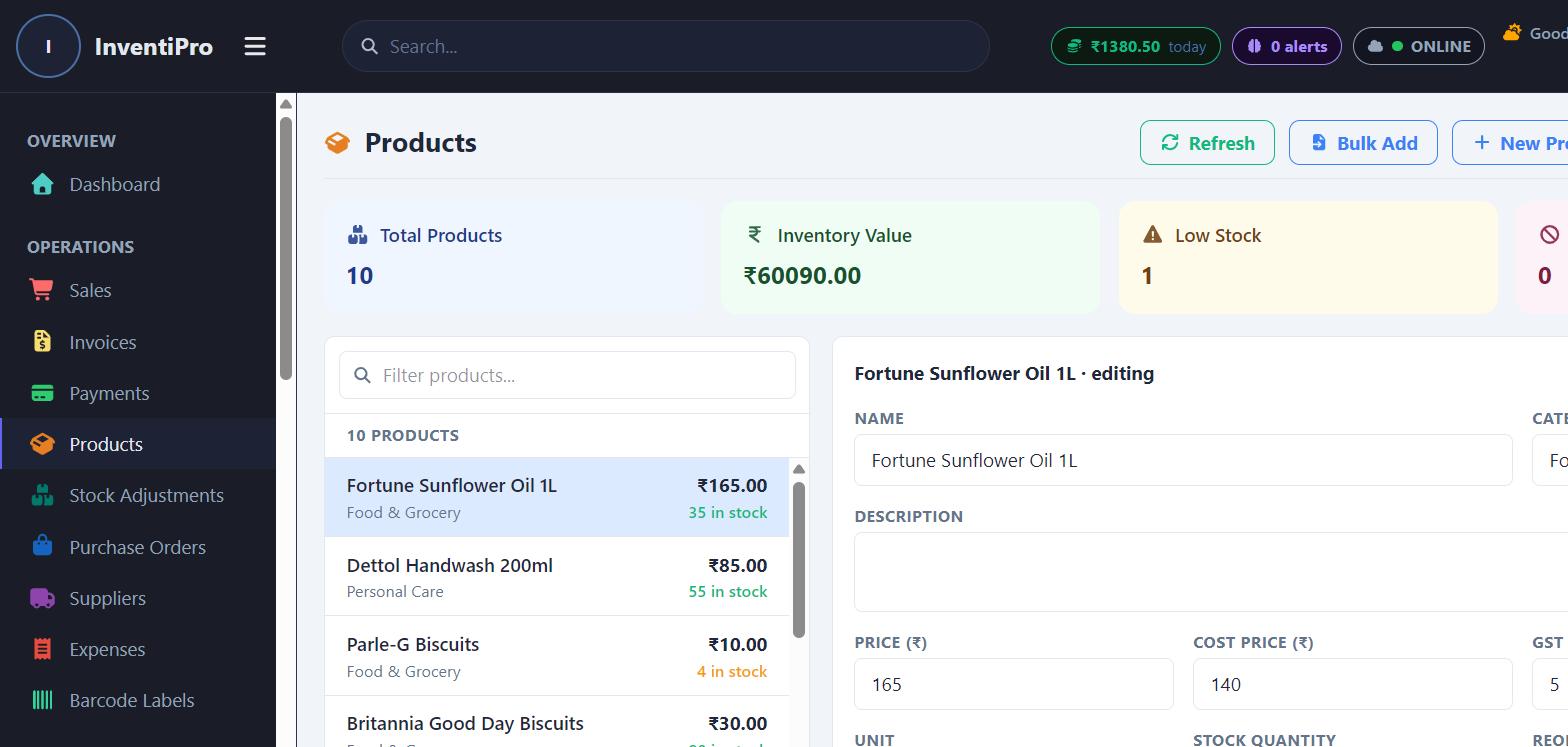
Manage products, variants, categories, stock levels, and reorder thresholds — with bulk import from Excel/CSV.
Stock Adjustments
Track and audit every manual stock correction with a full history log.
Purchase Orders
Create and track purchase orders to suppliers, from draft through delivery.
Suppliers
A dedicated supplier directory tied to purchase orders and expense tracking.
Expenses
Log and categorize business expenses alongside your sales data.
Barcode Labels
Generate and print barcode labels directly for your product catalog.
Customers & Team

Customer Management
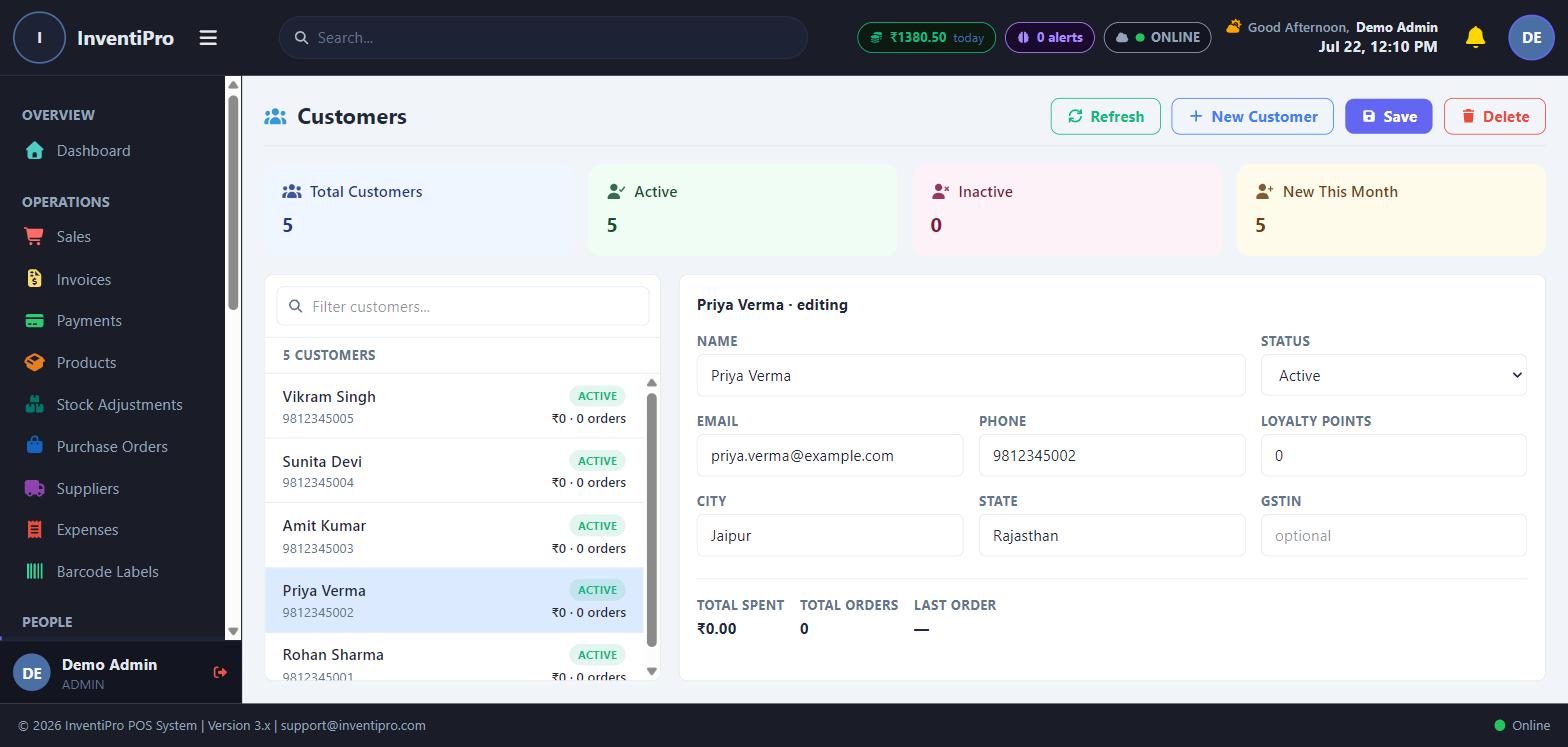
A full customer directory with purchase history, loyalty points, and credit limits.
Data Migration
Import existing customer, product, and invoice data from other systems via a guided wizard.
Employee Management
Manage staff accounts, roles, and permissions — including per-employee tab visibility controls.
Shift Management
Open/close shifts with opening balances and full shift-history reporting.
Analytics & Insights

Analytics
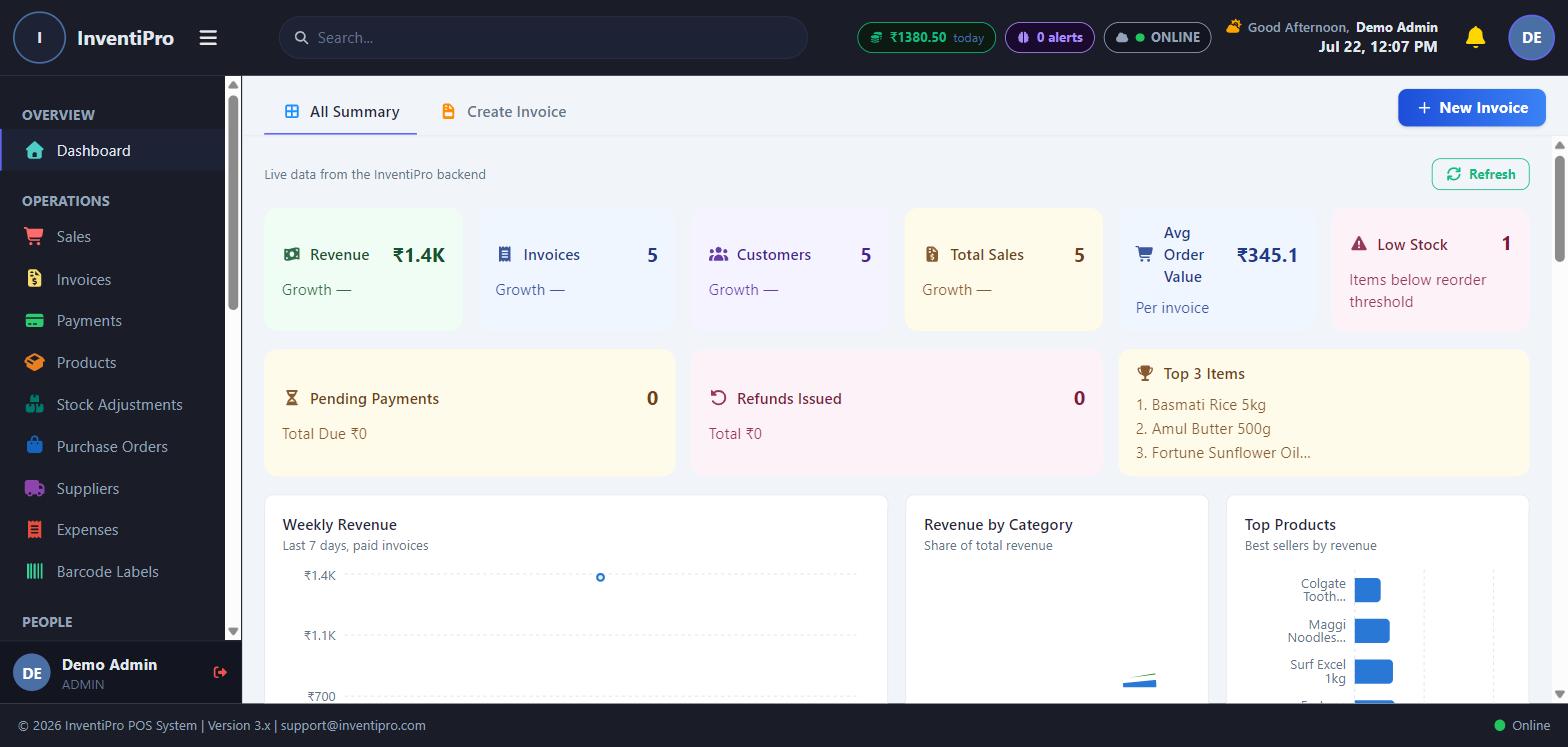
Sales trends, top products, and customer segments visualized at a glance.
Reports
A library of pre-built reports across sales, inventory, tax, and staff performance.
AI Insights
Automated alerts and recommendations surfaced from your own sales and inventory data.
Fraud Detection
Flags unusual transaction patterns worth a second look.
Reconciliation
Match billed, collected, and outstanding amounts to catch discrepancies early.
Marketing & Engagement
Marketing Campaigns
Plan and track promotional campaigns tied to your customer base.
Gift Cards
Issue and redeem gift cards with full balance tracking.
Connect an email account and manage customer-facing email straight from the app.
Action Center
A single feed of everything that needs your attention — low stock, pending dues, and more.
A closer look